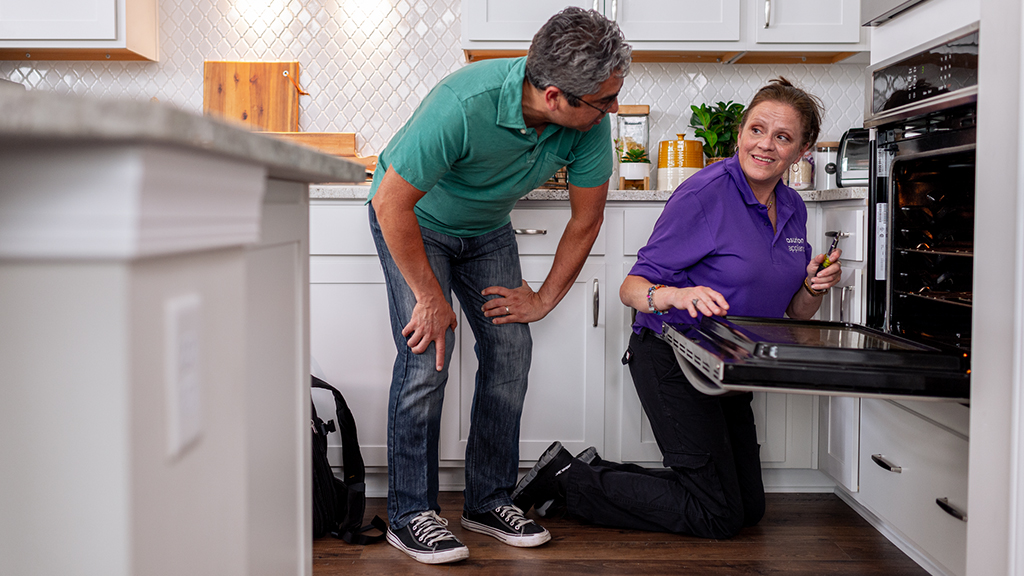
So, your microwave decided to take a nap right when you were about to reheat leftovers or pop some popcorn? That’s never ideal. The good news is, many common microwave problems aren’t the end of the world and can often be fixed with a few practical tips. This guide will walk you through some of those usual culprits and how you might be able to get your trusty appliance back up and running without needing to call in the pros just yet.
Table of Contents
- Safety First: Before You Even Think About Touching Anything
- Unplug the Microwave
- The Microwave Won’t Turn On: Dead as a Doornail
- The Microwave Turns On, But Doesn’t Heat Food: The Silent Killer
- The Microwave is Making Strange Noises: Beyond the Usual Hum
- The Microwave Interior Lights Up, But Nothing Else Happens
- The Microwave Sparking or Arcing: A Serious Warning Sign
Safety First: Before You Even Think About Touching Anything
This is the most crucial part, and honestly, non-negotiable. Microwaves, even when unplugged, can hold a significant electrical charge within their internal components, especially the capacitor. This charge can be dangerous, even potentially lethal. So, before you even consider looking under the hood, always perform these safety checks:
Unplug the Microwave
- Absolutely Essential: This might sound obvious, but it’s the first and most important step. Don’t just press the stop button; physically unplug the unit from the wall socket.
- Wait It Out: Even after unplugging, it’s wise to wait at least a few minutes. This gives any residual charge a chance to dissipate, though it doesn’t eliminate the risk entirely.
Understand the Risks
- High Voltage Capacitor: This component stores electrical energy. It’s the primary reason why microwaves can be dangerous to work on even when unplugged. If you’re not absolutely comfortable with electrical components and safety protocols, it’s time to call in a professional.
- Sharp Edges and Moving Parts: Inside a microwave, you’ll find sharp metal edges and potentially moving parts if you’re trying to access something specific. Wear gloves if necessary.
When to Call a Professional
- Sparking or Arcing: If your microwave is sparking or arcing while in use, this is a serious issue that often involves the magnetron or other high-voltage components. Do not attempt to fix this yourself.
- Burning Smells: Persistent burning smells are a sign of electrical failure. Unplug it immediately and seek professional help.
- Damage to the Door Seal: The door seal is critical for containing microwave radiation. If it’s damaged, replace the entire microwave for safety.
- General Uncertainty: If at any point you feel unsure or uncomfortable, stop. Your safety is worth more than a microwave.
If you’re looking to enhance your microwave repair skills, you might find the article on multimeter testing for appliances particularly useful. It provides a comprehensive step-by-step guide that can help you diagnose various issues with your microwave and other appliances effectively. You can read more about it here: Step-by-Step Guide for Multimeter Testing Appliances.
The Microwave Won’t Turn On: Dead as a Doornail
This is a classic. You press start, and… nothing. No lights, no hum, no sign of life. Before you declare it officially deceased, let’s check a few simple things.
Check the Power Source
- Is it Plugged In? Yes, we know, but double-check. Make sure the cord is firmly seated in the wall outlet.
- Try a Different Outlet: The outlet itself might be the problem. Plug in another small appliance to see if it works. If not, the outlet or the circuit breaker might be tripped.
- Circuit Breaker Check: Head to your home’s electrical panel. Look for a breaker labeled for your kitchen or a specific outlet. If it’s in the “off” position or in the middle, flip it completely off and then back on. If it trips again immediately, there might be a wiring issue that requires an electrician.
Inspect the Power Cord
- Visual Inspection: Look for any obvious signs of damage to the power cord – nicks, cuts, fraying, or melted spots. If the cord is damaged, it’s a safety hazard, and the microwave should not be used.
- Connection at the Unit: While less common, sometimes the cord connection at the back of the microwave can loosen. Ensure it’s secure. However, accessing this usually involves removing the outer casing, which brings us back to safety warnings. If you suspect cord damage but aren’t comfortable opening it, professional repair is the way to go.
The Door Interlock Switch Mystery
- What It Does: Your microwave has safety switches (usually two or three) built into the door mechanism. These switches tell the microwave that the door is securely closed. If one of these switches is faulty, the microwave won’t start, thinking the door is ajar.
- Symptoms of a Bad Switch: Sometimes, you might notice the light flickers, or you hear a click when closing the door, but then nothing happens when you press start.
- DIY vs. Professional: Testing and replacing these switches typically involves removing the outer casing. This is where the danger of residual charge from the capacitor becomes a real concern. If you’re not experienced with electronics, it’s best to leave this to a technician. They’ll have the right tools and knowledge to discharge the capacitor safely.
The Microwave Turns On, But Doesn’t Heat Food: The Silent Killer
This is arguably the most frustrating problem. The turntable spins, the light is on, you hear it running, but your food comes out as cold as when it went in. This points to a problem specifically with the microwave’s ability to generate heat.
The Magnetron is Usually the Culprit
- The Heart of the Operation: The magnetron is the component responsible for generating the microwaves that cook your food. If it fails, your microwave becomes a very expensive light and spinning plate.
- Symptoms of Magnetron Failure: Besides the obvious lack of heating, sometimes a failing magnetron can emit a humming or buzzing sound that’s louder than usual, or even a burning smell.
- DIY Warning: Replacing a magnetron is a complex and dangerous task. It involves working with high-voltage components and is absolutely not a DIY-friendly repair for most individuals. The parts are also proprietary and can be expensive. If your magnetron is suspected, a professional repair is almost always the best course of action.
The Waveguide Cover (or Mica Panel)
- What It Is: Inside the microwave cavity, you’ll see a small panel, usually made of a material called mica. This panel protects the waveguide (where the microwaves enter the cavity) from food splatters.
- Why It Matters: If this panel is dirty, burned, or damaged, it can affect the microwave’s heating efficiency. Over time, grease and food particles can accumulate, creating hot spots and eventually burning through the panel.
- Easy Fix (Sometimes): If the damage is minor and the panel is just dirty or slightly stained, you can usually clean it gently with a damp cloth. If it’s burned through or has holes, it needs to be replaced.
- Replacement: You can often find replacement mica panels for specific microwave models online. Removing the old one and fitting a new one is usually straightforward, but again, ensure the unit is unplugged and wait for any residual charge to dissipate. Be gentle when re-inserting, as the panel can be brittle.
The High-Voltage Diode and Capacitor
- The Power Boosters: The diode and capacitor work together to step up the voltage to a level the magnetron needs to operate effectively.
- Symptoms of Failure: A faulty diode or capacitor can manifest in several ways, including the microwave not heating, intermittent heating, or a loud buzzing sound. Sometimes, a blown fuse in conjunction with these components can also be a sign.
- Extreme Caution Required: These components, particularly the capacitor, store a significant electrical charge. Attempting to diagnose or replace them without proper knowledge and safety equipment is extremely risky. This is another area where professional help is highly recommended.
The Microwave is Making Strange Noises: Beyond the Usual Hum
Your microwave usually has a standard operating hum. But if it starts sounding like a construction site or a dying robot, something’s likely amiss.
The Cooling Fan Fanatic
- Its Job: Microwaves generate a lot of heat during operation, so they have a cooling fan to dissipate this.
- Common Issues: Over time, the fan motor can wear out, become obstructed by debris, or its bearings can fail. This can lead to a grinding, squealing, or rattling noise.
- Potential DIY Fix: If you can identify that the noise is coming from the fan, and you’re comfortable removing the outer casing (remembering safety precautions!), you might be able to:
- Clean it: Dust and debris can accumulate around the fan blades and motor. Gently clean them with a brush or compressed air.
- Check for Obstructions: Ensure nothing is physically blocking the fan blades.
- Lubrication (Rarely): In some cases, if the bearings are dry, a tiny amount of appropriate lubricant might help, but this is often a temporary fix.
- When to Get Professional Help: If cleaning doesn’t solve the issue, or if you suspect a motor failure, replacement is usually necessary, and this often involves some disassembly that’s best left to a technician.
The Turntable Motor’s Meltdown
- Its Purpose: The small motor located underneath the microwave cavity rotates the turntable.
- Noise Indicators: A failing turntable motor might make a clunking, grinding, or whining sound, especially when trying to turn. Sometimes, it just stops turning, and you might hear a faint struggle from the motor.
- DIY Feasibility: Replacing the turntable motor is a bit more involved but can be a manageable repair for someone with some technical aptitude. It usually requires removing the bottom panel and carefully disconnecting and reconnecting the motor.
- Troubleshooting Steps:
- Check for Obstructions: Ensure nothing is physically jamming the turntable mechanism.
- Motor Noise: If you hear the motor trying to work but it’s not turning the plate, the motor itself is likely the issue.
- Professional Advice: If you’re not comfortable with this level of disassembly, a technician can replace it relatively quickly.
The Main Fan (Not the Cooling Fan)
- Less Common, But Possible: Some microwaves have a larger fan connected to the turntable mechanism or as part of the overall ventilation system. If this fan is failing, it can produce similar noises to the cooling fan or turntable motor. The diagnosis and repair approaches would be similar.
If you’re looking to dive deeper into the intricacies of microwave repair, you might find it helpful to explore additional resources that provide insights into various appliance manufacturers. A related article can be found at this link, which offers a comprehensive overview of manufacturer websites and resources that could assist you in troubleshooting and fixing your microwave issues. Understanding the specific components and common problems associated with your appliance can make the repair process much smoother.
The Microwave Interior Lights Up, But Nothing Else Happens
You open the door, the interior light comes on, but when you press start, it’s as silent and unresponsive as a statue. This is similar to the “won’t turn on” issue, but the fact that the internal light works tells us it’s getting some power.
The Control Panel Conundrum
- The Brains of the Operation: The control panel is where you input settings and initiate cooking. If this unit is faulty, it can prevent the microwave from starting, even if it’s receiving power.
- Symptoms: Buttons might be unresponsive, the display might be scrambled or blank (even though the light is on), or it might seem to “lock up.”
- DIY vs. Professional: In some cases, a faulty control panel might be due to a loose connection on the back of the panel. If you’re comfortable removing the outer casing and accessing the control panel, you can check these connections. However, the control panel itself can fail internally, and replacing it can be expensive and require specific parts.
- Resetting the Panel (Sometimes): In some instances, a temporary glitch can be resolved by unplugging the microwave for an extended period (e.g., overnight), hoping to reset the internal electronics. This is a low-risk, albeit low-reward, step.
The Door Switch Again (But from a Different Angle)
- Power to Light, Not Main Function: While the door switches are critical for preventing operation when the door is open, a specific failure in one of them, or how it interacts with the main logic board, could also be the cause of the light working but the microwave not starting.
- Diagnosis: This is typically diagnosed by a technician who can test the continuity of each switch when the door is closed and open.
Internal Wiring or Fuse Issues
- The Hidden Connections: Beyond the obvious power cord, there are internal wires connecting all the components. A broken or loose wire, or a blown internal fuse (different from the external circuit breaker), can interrupt the signal needed to start the cooking process.
- Fuse Location: If there’s an internal fuse, it’s usually located near the power supply board or the transformer.
- Professional Assessment: Diagnosing and replacing internal fuses or tracing faulty wiring requires a good understanding of the microwave’s electrical schematic and is best left to professionals.
The Microwave Sparking or Arcing: A Serious Warning Sign
This is the most alarming issue. If you see sparks or arcing inside your microwave while it’s running, or even when you open the door, stop using it immediately and unplug it. This is not a minor inconvenience; it indicates a potentially dangerous electrical fault.
Internal Metal Components
- Scratches and Dents: The metal interior of the microwave can become a source of arcing if there are significant scratches, dents, or damage to the metal lining. These imperfections can disrupt the flow of microwaves.
- Foreign Objects: Placing metal objects (like forks, or even certain types of foil packaging) inside the microwave is a sure-fire way to cause sparks and arcing. This is why you see the “no metal” warnings on almost every microwave.
- Visual Inspection: If you notice arcing, carefully (and after unplugging!) inspect the interior for any loose metal pieces, significant damage to the cavity walls, or signs of melted plastic.
The Waveguide Cover (Burned Through)
- Revisiting the Mica Panel: As mentioned before, a severely burned or damaged waveguide cover can also lead to arcing. The microwaves are trying to enter the cavity, but the damaged panel is interfering with their proper distribution, causing them to concentrate and arc.
- Replacement is Key: If this is the cause, replacing the mica panel is crucial to resolve the arcing.
Faulty High-Voltage Components
- Magnetron or Transformer Issues: The magnetron itself or the high-voltage transformer can malfunction and cause arcing. These components are designed to handle very high voltages, and a failure can be accompanied by visible electrical discharge.
- Extreme Danger: Working with these components is incredibly dangerous due to the stored electrical charge. If you suspect a problem with the magnetron or transformer, do not attempt any repairs yourself.
What to Do Immediately
- Unplug the Microwave: This is the absolute first step.
- Do Not Use: Never use a microwave that is sparking or arcing. It poses a fire hazard and can damage other electrical components in your home.
- Consult the Manual: Your owner’s manual might have basic troubleshooting tips, but it will likely also emphasize safety precautions.
- Professional Diagnosis: For any sparking or arcing issue, it’s best to call a qualified appliance repair technician. They have the tools and expertise to safely diagnose and repair the problem. In many cases, the cost of repair might approach the cost of a new microwave, but it’s worth getting a professional opinion.
In conclusion, while some microwave issues can be tackled with a bit of common sense and a willingness to get your hands a little dirty (safely, of course!), it’s crucial to know your limits. For anything involving high voltage, significant damage, or persistent problems, calling a professional is often the smartest and safest choice.